
AI UGC Creator: Tools and Workflow 2026
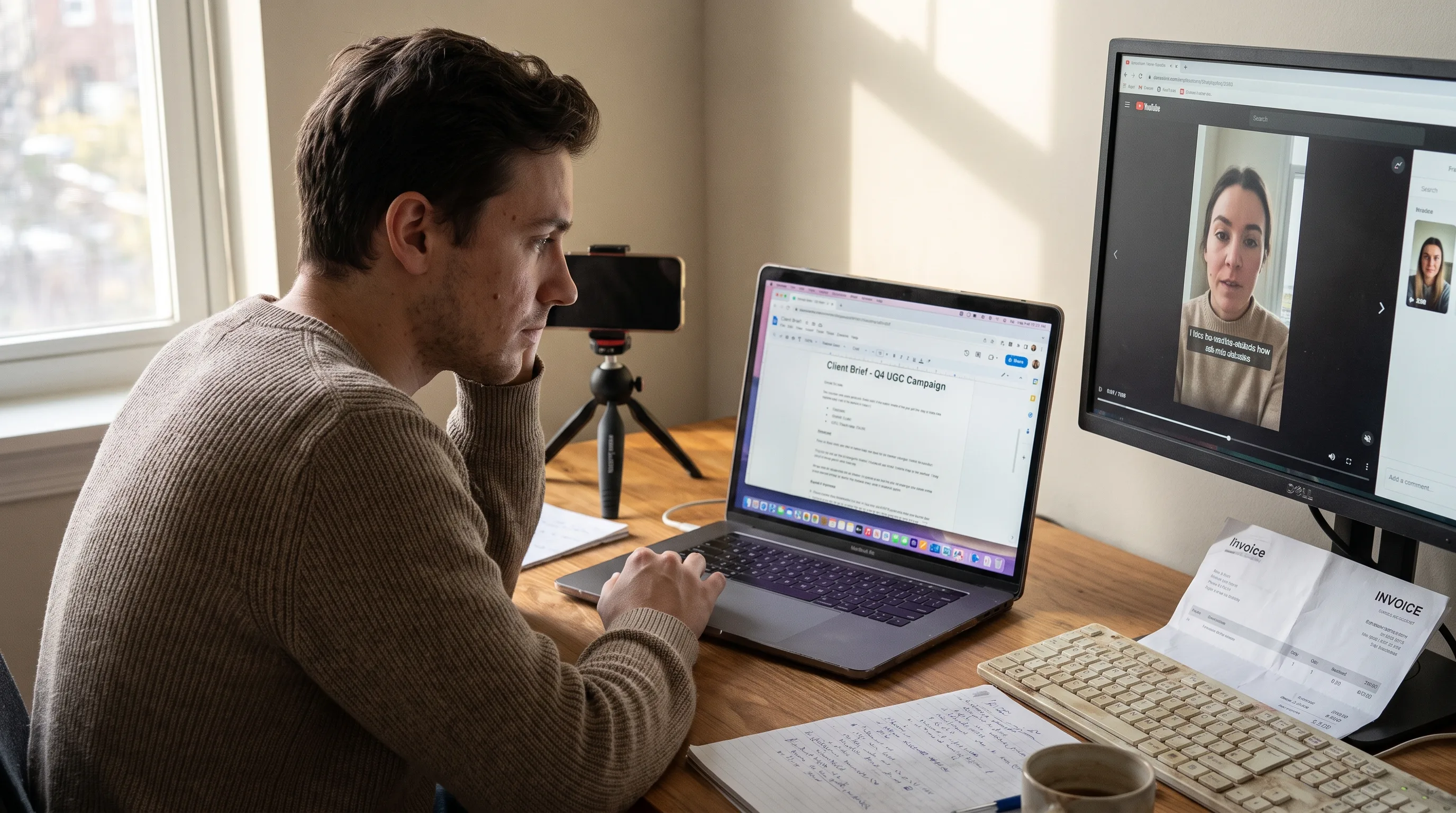
AI UGC creator means two things at once: the person who makes user-generated-style ads for money, and the software that person uses. This page maps the second in service of the first: the kit one person needs to run this as a job, from Monday’s brief to Friday’s invoice.
For the category itself, start with the complete guide to AI UGC. For the career, the five-step UGC creator career path covers getting hired.
Buy consistency first: the same actor, the same face and the same voice across every clip in a campaign, held by the Playcut Actor Engine. Almost everything else in a creator stack has a free substitute that survives client delivery. That one does not.
Every price here is a list price the vendor publishes, with its billing period stated; where a vendor publishes nothing, the page says so instead of inventing a number. The map also starts before the script and ends after the invoice.
Table of contents
- Inside an AI UGC creator’s working week
- AI UGC creator tools, by role
- Three creator stacks by career stage
- What the sticker price leaves out
- One studio or a stitched stack?
- The reusable inventory that turns a gig into a book of business
- Free tools that replace a paid line item
- A five-question stack self-audit
- Frequently asked questions
- The bottom line
Inside an AI UGC creator’s working week
A working AI UGC creator staffs a handful of recurring jobs, and generation is only one of them. Intake, delivery paperwork and the back office are the three the AI generation market does not touch; they run on separate software or on no software at all. Read them as recurring work, not a pipeline one video passes through.
Intake and the brief
The brief you receive is usually already a script on marketplace work and almost never one on direct work, which decides whether you buy scripting capacity at all. Billo publishes the field list its brands fill in, and one field is the scenario, which Billo describes as the brief and the script.
Intake is a document problem, not a software problem. The asset that pays for itself is a brief template you own, covering product, offer, audience, hooks, placements, ratios, disclosure, revisions, usage term and due date.
Angle and hook research
The reusable unit here is a hook bank, not a video. Billo asks brands for several hooks but caps each video at one, which is a platform stating in policy that a second hook is a second order. Variant strategy at ad-account scale is shipping UGC ad variants at scale.
Scripting
Locking the script is where one video becomes six files: a 40 to 80 word body with three hooks and two calls to action is one script, six renders. The UGC ad script generator is a deterministic template scaffold, not a live model. The steps from script to finished video are the eight-step AI UGC production workflow.
Asset generation
This is the only job AI genuinely collapses. Treat it as a box with an input and an output contract: script, actor, brand kit and ratio in, a rendered clip at a known credit cost out. The ad-side surface is Playcut’s UGC ads studio; the per-clip arithmetic is what a single AI UGC clip actually costs.
Edit and caption
One concept is never one file. Facebook’s ads guide recommends 4:5 for feed video on the awareness objective while Instagram Reels is 9:16, so a client running both needs two masters or accepts a crop. Scoring the render itself is our ranked comparison of AI UGC generators.
Delivery, rights and disclosure
Disclosure is a delivery line item, not a toggle you flip afterwards. TikTok reads C2PA Content Credentials to auto-label AI content made elsewhere, and an auto-applied label cannot be removed by the poster, so it belongs in the brief. The rules are mapped in the 2026 AI UGC disclosure rules.
Back office
Two platforms publish their revision terms and both cap what is included: Billo allows brands up to two reshoot requests per piece and asks for the revision within 48 hours, and Insense includes up to three rounds. The reorder, not the client count, makes a system necessary. How to price AI video work sets the rate; the AI video gig back office runs the paperwork.
A creator who buys a generation stack and nothing else has automated one slice of the client loop and will still miss deadlines.
AI UGC creator tools, by role
Ten roles staff those jobs, and only four of them have no free option that survives client delivery: motion generation, actor identity, voice, and burned-in captions at volume. Voice is on that list for a licence reason rather than a capability one, which the stage-one stack below spells out.
| Role | The job it staffs | What good looks like |
|---|---|---|
| Intake and brief surface | Intake | One template you own, reused per client |
| Hook and angle research | Angle research | A bank you can sort, not a feed |
| Scripting | Scripting | Structure and timing, words still yours |
| Still generation | Asset generation | Same product and person across frames |
| Motion generation | Asset generation | Duration and ratio control, a published rate |
| Voice | Asset generation | A commercial licence in writing |
| Actor and identity | Asset generation | The same face on demand months later |
| Caption and edit | Edit and caption | Burned-in captions at volume, plus a timeline |
| Asset library and delivery | Delivery | Findable by client, product and month |
| Admin and money | Back office | An invoice out the day you deliver |
Two of those roles get less attention than they deserve. The intake surface is a document rather than an app, so the cheapest version wins. The asset library is where reorders are won: the same request in November should cost an hour, not a day.
One role to leave out entirely is creative analytics. Every product in it is priced against monthly ad spend and needs a connected ad account: Motion’s entry tier is $750 a month, monthly billed, and Atria publishes Core at $129 a month on annual billing. A creator delivering creative does not own the ad account, so ask the client for the creative-level export instead.
Whether AI UGC performs against filmed UGC is a separate question, weighed in the evidence on AI UGC versus real UGC.
Three creator stacks by career stage
Three stacks, priced only from figures the vendors publish themselves: $0 a month before your first paying client, $69 a month for a solo creator with one or two repeat clients, and $265 once several run at the same time. Every total is the arithmetic sum of the lines beneath it, at monthly billing.
Fiverr’s Q2 2026 shareholder letter, issued 2026-07-29, reports a marketplace take rate of 28.0% for the quarter, against 27.6% a year earlier. Annual active buyers fell to 2,676,000 while annual spend per buyer rose to $368. The letter attributes the shift to compression in high-volume, low-value transactional work as AI adoption accelerates.
Upwork’s Q2 2026 results, for the quarter ended 2026-06-30, report 763,000 active clients and a record $5,230 of gross services volume per active client, up 5% year over year. Its Form 10-Q puts the marketplace take rate at 19.6% and attributes the client decline to the evolving impact of AI on certain freelance categories. Fewer buyers spending more is a market that pays for a system.
One sizing anchor: Influee publishes an average United States price of $57 for a 30-second UGC video. The solo stack below costs about what one such video is priced at.
Stage one: no paying clients yet
$0 a month, and a real working stack rather than a demo.
| Job | Tool | Published cost |
|---|---|---|
| Hook and angle research | TikTok Creative Center | $0 |
| Script, timing, ratios | Playcut free tools | $0 |
| Editing | DaVinci Resolve, free version | $0 |
| Stock stills and video | Pexels | $0 |
| Music | Uppbeat Free, 3 downloads | CA$0, region-detected |
| Scheduling | Buffer Free, 3 channels | $0 |
| Review and delivery | Frame.io Free, 2 members | $0 |
| Files | A Google account, up to 15 GB | $0 |
| Invoicing | Wave Starter | $0 plus 2.9% and $0.60 per card charge |
| Total | $0 per month |
What it cannot do belongs in the same breath: no commercially licensed synthetic voice, because ElevenLabs publishes 10,000 free credits a month with commercial use not included, no AI actor or motion generation, and no burned-in captions at volume. Uppbeat Free is an individual licence that does not cover a paid client ad, and it rendered in Canadian dollars from our location.
Stage two: one or two repeat clients
$69 a month at monthly billing. The arithmetic: $29 + $19 + $6 + $15 + $0 + $0 + $0 = $69.
| Job | Tool | Monthly list |
|---|---|---|
| Stills, motion, actor identity, voice, music, brand kits, 2,000 credits | Playcut Pro | $29 |
| Caption burn-in | Submagic Starter, 15 videos | $19 |
| Commercially licensed voice | ElevenLabs Starter | $6 |
| Scheduling | Buffer Essentials, 3 channels at $5 each | $15 |
| Editing | DaVinci Resolve, free version | $0 |
| Review and delivery | Frame.io Free | $0 |
| Invoicing | Wave Starter | $0 |
| Total | $69 per month |
Annual billing changes three lines and belongs in a footnote, never a cell: Submagic $12 per member per month, ElevenLabs Starter $5 a month, Playcut 17% off. Mixing bases inside one table is how stack maths goes wrong even when every number is right.
Stage three: several clients at once
$265 a month at monthly billing. The arithmetic: $79 + $39 + $22 + $60 + $30 + $25 + $10 = $265.
| Job | Tool | Monthly list |
|---|---|---|
| Generation, 4 seats, 6,000 credits, 25 actor slots | Playcut Studio | $79 |
| Caption burn-in | Submagic Pro, 40 videos, 5-minute cap | $39 |
| Voice, one professional clone slot | ElevenLabs Creator | $22 |
| Scheduling | Buffer Team, 6 channels at $10 each | $60 |
| Review and delivery | Frame.io Pro, 2 members | $30 |
| Contracts and invoicing | Bonsai Essentials, monthly billed | $25 |
| Client and brief tracking | Notion Plus, per member | $10 |
| Total | $265 per month |
Annual footnote: Submagic $23 per member per month, ElevenLabs Creator $18.33 a month, Bonsai Essentials $19 per user per month, Frame.io 13% off, Playcut 17% off. Frame.io’s published prices exclude sales tax.
Creative analytics is deliberately absent for the reason above. Credits, not seats, run out first here: the arithmetic is what a single AI UGC clip actually costs, and the ladder with its credit allowances is on the Playcut pricing page.
What the sticker price leaves out
The monthly total is the smallest part of the bill. Credits expire, downgrades lock inventory you already built, music licences lapse forward, and part of the category will not quote a number until a card is on file.
Credits that expire
Unused capacity is money burned on most of this market. HeyGen’s help centre states that pausing a subscription expires the credit balance entirely, and that cancelling forfeits whatever is left. What lapses is not always credits: OpusClip’s pricing page puts a 3-day media-storage limit on the free plan and 29 days on Starter, so there the render is what disappears.
ElevenLabs is the exception, rolling credits over for up to two months. Playcut’s top-up packs never expire: 600 credits for $9, 2,500 for $35, 5,000 for $65.
The downgrade cliff
Tiers gate access to inventory you already built, not only features. ElevenLabs states that a professional voice clone stays on the account below the Creator tier but cannot be used until you upgrade, and that a clone needs at least 30 minutes of training audio. Rebuilding that is a recording session, not a click.
Licences that lapse forward
Epidemic Sound’s help centre states that content published while your subscription was active stays cleared permanently, but content published after it ends gets monetized by Epidemic. A repurposing pass over old work is therefore a new publication, so music is the one line not to cancel in a back-catalogue month.
The vendors that publish nothing
A tool you cannot price without logging in cannot be budgeted. Argil’s pricing page renders a loading state where the plans should be, Akool’s paid tiers render at $0 per seat per month, and Arcads’ pricing URL returns a 404 while three ranking roundups print three different prices for it.
CapCut’s own help page belongs in the same bucket for a different reason: it says the cost can vary by region, device and available promotions. Set that against Creatify, which publishes Starter at $39 a month and Pro at $99 a month, both monthly billed, re-verified 2026-08-21.
Creator revenue arrives per approval, lagged and lumpy: Billo pays twice a month by PayPal, and Twirl releases payment within ten days of brand approval. Tool bills are monthly, prepaid and fixed, so start every line month to month and annualise only what survives three paid months.
One studio or a stitched stack?
The honest answer is a split, not a winner. One studio removes the handoffs where a face, a voice or a provenance mark quietly changes between tools. A stitched stack of published-price tools is auditable line by line and survives a vendor going away.
Argue it as arithmetic on one person’s card. At stage two the studio line is $29 of $69; at stage three it is $79 of $265. Consolidation is not the majority of the bill either way, so the decision is about handoffs rather than savings. Every time an identity moves between tools it can come back slightly different, a mechanism unpacked in building an AI influencer persona.
Two cases where the stitched stack wins for a solo creator. Playcut ships no caption burn-in, so a client wanting captions burned into 40 videos a month is buying a specialist tool regardless. And a deliverable spec mandating a format the studio does not export is a hard stop, not a preference.
What one studio collapses: still generation, motion generation, actor identity, voice, music, the asset library and folders, and multi-brand brand kits. What it does not touch, stated just as plainly: timeline editing, caption burn-in, scheduling and publishing, ad-account analytics, invoicing and contracts, stock b-roll, and the platform disclosure toggles.
On cost predictability, the honest version: there is no automatic router. You pick the model per shot or take the capability default, the rate card is published per model on the Playcut models page, and the arithmetic is rate times seconds.
At agency scale the decision changes shape, and it is worked through in the agency-scale video tool stack; the seller-side paperwork under either answer is the AI video gig back office. Resolve it with the five questions below, not from a table.
The reusable inventory that turns a gig into a book of business
Everything in your stack that you can re-create from files you hold is inventory. Everything that exists only inside a vendor account is rent.
Eight things a working creator reuses, and the two nobody saves come first: a brief template and a delivery template. Then the saved actor, the saved voice, a brand kit per client, a hook bank, a b-roll shelf and a caption preset. The first job for a client is billable work; the second is mostly assembly.
Grade each item against what the vendor actually publishes:
- Text you own is fully portable. Brief templates, hook banks and scripts move with a copy and a paste, and no plan change withholds them.
- Music and stock are conditional, because the licence lapses forward. The shelf is only as portable as the subscription behind it.
- A cloned voice is tier-locked and rebuildable only from source audio, which ElevenLabs puts at a 30-minute minimum.
- A vendor-side avatar record is not portable at all. Synthesia’s customer terms state that avatars cannot be exported, and that after the term Synthesia has no obligation to maintain custom avatars.
- The model underneath an identity is deletable by its vendor. OpenAI’s deprecations table lists the Videos API and the Sora 2 family shutting down on 2026-09-24, with no replacement named.
- The render is temporary by design. Google’s Veo documentation states that generated videos are stored on the server for two days and are then removed.
The file you downloaded is not the asset. The actor, the voice, the brand kit and the template that can produce it again are.
On Playcut those map onto real objects with real caps. Custom actors run 3 on Hobby, 10 on Pro, 25 on Studio and unlimited on Agency; saved voices run 1, 5, 10 and unlimited. Brand kits are multi-brand, folders come in shared Team and per-user Private forms, and the asset library holds the rest.
Running one saved face across a campaign is the one-actor UGC program, and the build mechanics are how to build a reusable AI actor. The product surface is the Playcut AI actor library, and when the inventory outgrows one person, read starting an AI UGC agency.
Free tools that replace a paid line item
Playcut publishes 45 free browser tools that need no signup and upload nothing. Ten jobs below are the ones where one of them stands in for something a stack usually pays for: eight replace a named paid line outright, and two cover a job nothing on this market prices separately. The jobs they cannot replace start with burned-in captions at volume, authenticated publishing and the render itself.
| Job | Paid line it displaces | Free tool | Honest limit |
|---|---|---|---|
| Angle bank | A creative-research subscription | Video idea generator | A scaffold, not a live model |
| Copy frames | A general assistant subscription | Ad copy framework generator | AIDA, PAS, BAB and FAB frames |
| Shot planning | A storyboarding seat | Storyboard frame counter | Planning, not generation |
| Persona definition | Brief tooling inside an analytics suite | AI actor persona builder | Defines it, does not generate it |
| Masters per placement | Resizing bundled into an editor plan | Aspect ratio calculator | Calculates, does not re-frame |
| Platform file ceilings | No comparable priced tool | Video bitrate calculator | Solves file size, does not encode |
| Credit forecasting | No comparable priced tool | AI video credit calculator | Shows its formula and rate table |
| Creative payback math | An analytics seat you should not buy | Ad metrics calculator and breakeven ROAS calculator | Math only, no ad account |
| Image cleanup and upscale | An image-suite subscription | Background remover and image upscaler | The only two running a real model |
| Platform safe zones | A framing check bundled into an editor plan | Safe zone checker | Checks framing, does not export |
The prompt builders and the script and ad generators are deterministic template scaffolds: structured starting points, not a model writing copy for you. The two that do run a real model in the browser are the background remover and the image upscaler.
The ceiling is where the paid stack starts. None of these browser tools delivers burned-in captions at volume, authenticated scheduling, payment collection, a commercial voice licence, ad-account analytics or timeline editing. Three of those six have free third-party stand-ins in the stage-one table above — Buffer, Wave and DaVinci Resolve — and the other three are where money starts. The full set is the Playcut free tools library.
A five-question stack self-audit
Five questions decide which of the three stacks you actually need. Answer them in order and stop at the first one that changes your answer.
- Do you have a paying client yet? If not, stage one is the whole answer, and the portfolio is the only deliverable that matters.
- Do clients reorder, or is every job new? Reorders mean you buy the inventory line first, not the volume line.
- Do you deliver files, or post from your own handle? Posting yourself means a scheduler and a publishing authorization; delivering files means neither.
- Does anyone else touch your renders? If yes, buy seats rather than sharing a password.
- Does the work run as paid media? Then the usage term and the disclosure are delivery line items. Insense’s terms state that when the brief is silent, paid usage defaults to 30 days.
Frequently asked questions
What does a full AI UGC creator stack cost per month?
Two published lines put the floor at $35 a month: Playcut Pro at $29 for 2,000 credits and ElevenLabs Starter at $6, both checked in August 2026. A fuller solo stack that adds captioning and scheduling comes to $69 a month at monthly billing. The editor line cannot be added honestly, because CapCut publishes no fixed global price and says the cost varies by region, device and promotion.
Can one tool cover every job in a creator’s week?
No, and the honest split is by job, not by vendor. One studio can cover script, stills, motion, voice and actor identity on a single credit balance, which removes the handoff drift you get moving a face between four tools. It cannot cover client intake, the signed rights and disclosure paperwork, or invoicing. Those three jobs still run on a document, a contract and an invoicing app.
What should I buy first on a limited budget?
Buy the generation seat first, then voice, then nothing until a client pays you. Those are two of the four jobs with no free substitute that survives client delivery, and generation is the one a client is actually paying for. Playcut Hobby is $9 a month for 500 credits and Pro is $29 for 2,000, checked in August 2026. Script, hook research, shot planning, aspect ratios and rate math all have free tools.
Which subscription do I cancel first when work slows down?
Cancel in reverse order of what your saved inventory is locked inside. Per-seat and per-minute tools go first, because nothing you built lives in them. The voice subscription goes next, but check first whether your cloned voice survives the downgrade. Cancel the studio holding your saved actors, brand kits and delivery templates last, because rebuilding that inventory costs more than the month you saved.
How do I hand my stack to a subcontractor or VA?
Hand over the inventory, not the passwords. Give a subcontractor a seat in the workspace holding the saved actor, brand kit and delivery template, so the output matches without them making creative calls. Playcut Studio is $79 a month and includes four seats; Agency is $149 per seat with unlimited seats, checked in August 2026. Keep intake, client contact and invoicing on your side.
What does a UGC creator actually reuse between clients?
Eight things, and two of them are the ones nobody saves: a brief template and a delivery template. The other six are the saved actor, the saved voice, a brand kit per client, a hook bank, a b-roll library and a caption preset. The first job for a new client is billable work; the second is mostly assembly. That gap is what turns freelancing into repeat revenue.
Where do free tools stop being enough in a creator stack?
Free tools cover the thinking jobs and stop at the rendering job. Playcut publishes 45 free browser tools covering script frameworks, hook and idea generation, shot planning, aspect ratios, frame counts, credit math and rate math, with no signup. What none of them do is render a voiced clip of a consistent person, which is the one job a client pays for. That render is where the paid line starts.
The bottom line
Buy generation first, keep the paperwork jobs on templates you own, and treat every saved actor, voice, brand kit and delivery template as the part of the business that compounds. The subscriptions are rent. The inventory is the asset, and the only line worth more in month twelve than in month one.
The wider map of what this work can pay is the map of AI video income models. To price the generation line, the Playcut pricing page carries the ladder, the credit allowances and the actor slots per tier.